


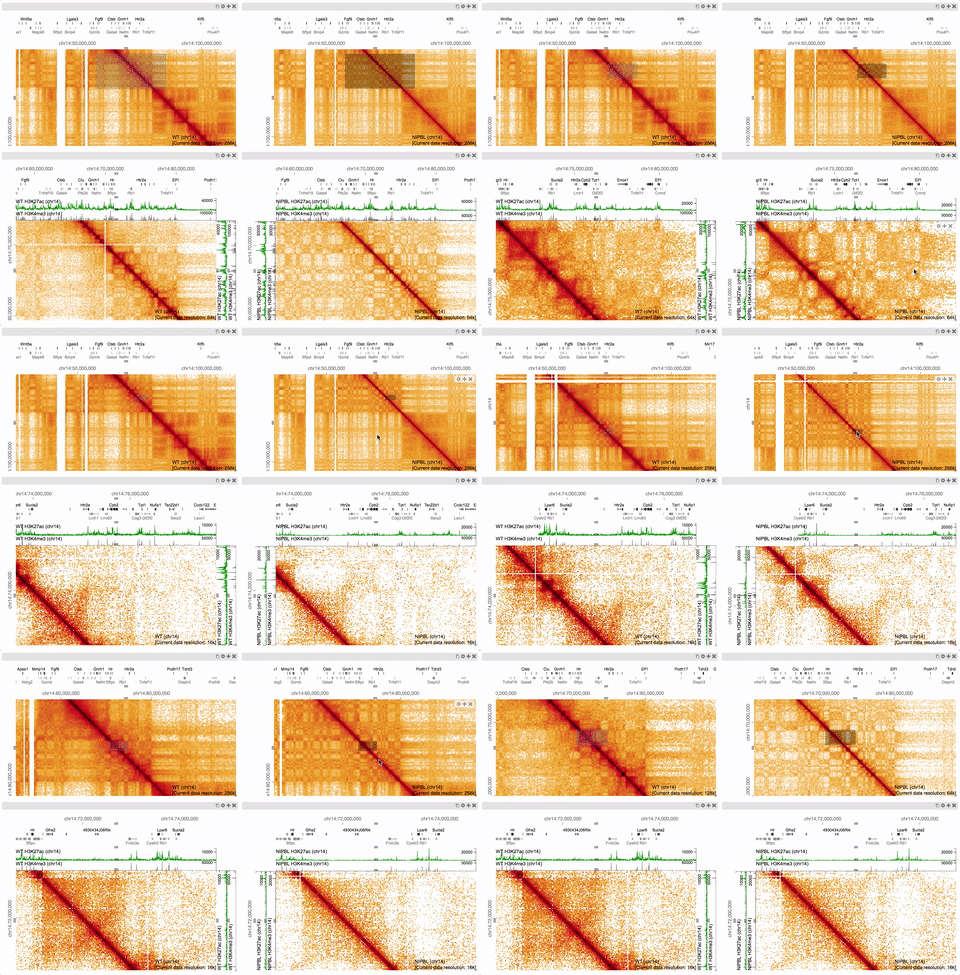
HiGlass is a web-based viewer for datasets too large to view at once. It features synchronized navigation of multiple views as well as continuous zooming and panning for navigation across genomic loci and resolutions. It supports visual comparison of genomic (e.g., Hi-C, ChIP-seq, or bed annotations) and other data (e.g., geographic maps, gigapixel images, or abstract 1D and 2D sequential data) from different experimental conditions and can be used to efficiently identify salient outcomes of experimental perturbations, generate new hypotheses, and share the results with the community.
A live instance can be found at https://higlass.io. A Docker container is available for running an instance locally, although we recommend using the higlass-manage package to start, stop and configure local instances.
For documentation about how to use and install HiGlass, please visit https://docs.higlass.io.
Kerpedjiev, P., Abdennur, N., Lekschas, F., McCallum, C., Dinkla, K., Strobelt, H., ... & Gehlenborg, N. HiGlass: Web-based Visual Exploration and Analysis of Genome Interaction Maps. Genome Biology (2018): 19:125. https://doi.org/10.1186/s13059-018-1486-1
To run higlass from its source code simply run the following:
npm clean-install // use --legacy-peer-deps if you get peer dependency errors
npm start
This starts a server in development mode at http://localhost:5173/.
Warning The following examples need to be migrated to the latest build. Once started, a list of the examples can be found at http://localhost:8080/examples.html. Template viewconfs located at
/docs/examples/viewconfscan viewed directly at urls such as http://localhost:8080/apis/svg.html?/viewconfs/overlay-tracks.json.
The tests for the React components and API functions are located in the test
directory. Tests are run with vitest.
Useful commands:
- Run all tests in the browser:
npm test -- --browser.headless=false
See the contributing guide to learn more.
HiGlass provides an API for controlling the component from with JavaScript. Below is a minimal working example to get started and the complete documentation is availabe at docs.higlass.io.
<!DOCTYPE html>
<head>
<meta charset="utf-8">
<title>Minimal Working Example · HiGlass</title>
<style type="text/css">
html, body {
width: 100vw;
height: 100vh;
overflow: hidden;
}
</style>
</head>
<body></body>
<script type="module">
import * as hglib from "https://esm.sh/[email protected]";
const api = hglib.viewer(
document.body,
'https://higlass.io/api/v1/viewconfs/?d=default',
{ bounded: true },
);
</script>
</html>- HiGlass Clodius - Package that provides implementations for aggregation and tile generation for many common 1D and 2D data types
- HiGlass Python - Python bindings to the HiGlass for tile serving, view config generation, and Jupyter Notebook + Lab integration.
- HiGlass Manage - Easy to use interface for deploying a local HiGlass instance
- HiGlass Docker - Build an image containing all the components necessary to deploy HiGlass
- HiGlass Server - Server component for serving multi-resolution data
- HiGlass App - The code for the web application hosted at https://higlass.io
- Cooler - Package for efficient storage of and access to sparse 2D data
HiGlass is provided under the MIT License.