Introduction to
            PyGame
Abhishek Mishra   hello@ideamonk.com
Agenda
• Games - 2d games
• Basics
• Python
• PyGame
• Examples
Whats inside a Game?
• Multidisciplinary Process
• Graphics
• Input Control
• Game Logic / AI
• Sound effects / Music
• Communication
• Physics, etc
• Frameworks ^ Libraries ^^
Basics - Drawing
• Drawing primitives
• Pixels, Square, Rect, Ellipse, etc
• Provided by development env
Basics - Animation

• Draw things
• Change their positon
• Draw them again
• Repeat
Basics - Animation

• Draw things
• Change their positon
• Draw them again
• Repeat
Basics - Animation

• Draw things
• Change their positon
• Draw them again
• Repeat
Basics - Animation

• Draw things
• Change their positon
• Draw them again
• Repeat
Basics - Animation

• Draw things
• Change their positon
• Draw them again
• Repeat
Basics - Surfaces
• Drawing primitives use algorithms
• Slow for repetitive work
Basics - Surfaces
• Drawing primitives use algorithms
• Slow for repetitive work
Basics - Surfaces
• How do we save time?
Basics - Surfaces
• How do we save time?
Basics - Surfaces
• How do we save time?


      A Surface / Bitmap
Basics - Surfaces
• How do we save time?


                         RAM
Basics - Surfaces
• How do we save time?


                         RAM
Basics - Surfaces
• Bitmaps
• Rectangular
• CPU Inexpensive
• Can be layered
Basics - Surfaces
  • Bitmaps
  • Rectangular
  • CPU Inexpensive
  • Can be layered
Sky layer
 Trees
Enemies
Basics - Animation Again!
• Monitors have refresh rate
• Can’t draw so many surfaces on live screen
• How do we make it smooth?
• How do we sync?
Basics - Animation Again!
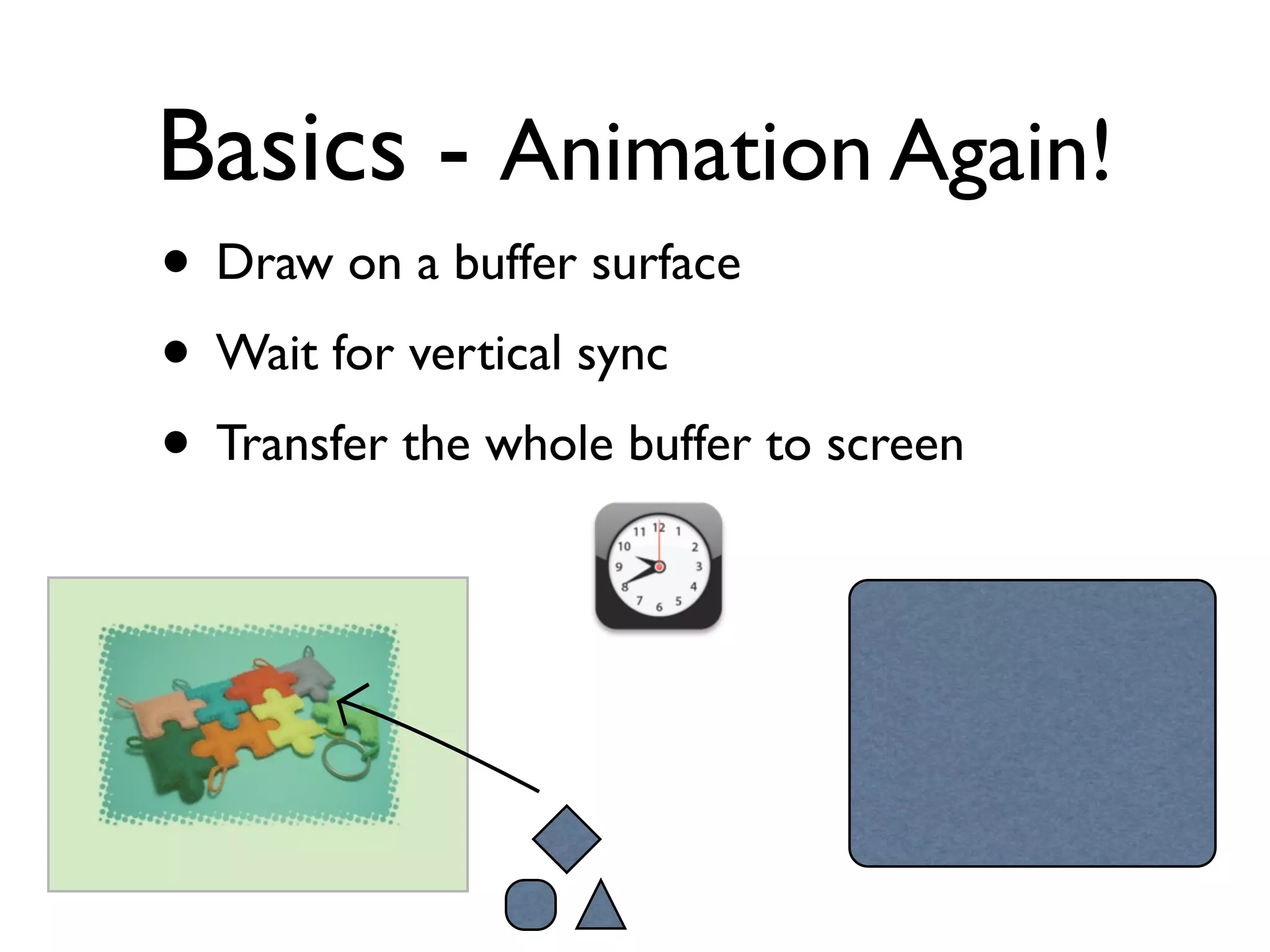
• Draw on a buffer surface
• Wait for vertical sync
• Transfer the whole buffer to screen
Basics - Animation Again!
• Draw on a buffer surface
• Wait for vertical sync
• Transfer the whole buffer to screen
Basics - Animation Again!
• Draw on a buffer surface
• Wait for vertical sync
• Transfer the whole buffer to screen
Basics - Animation Again!
• Draw on a buffer surface
• Wait for vertical sync
• Transfer the whole buffer to screen
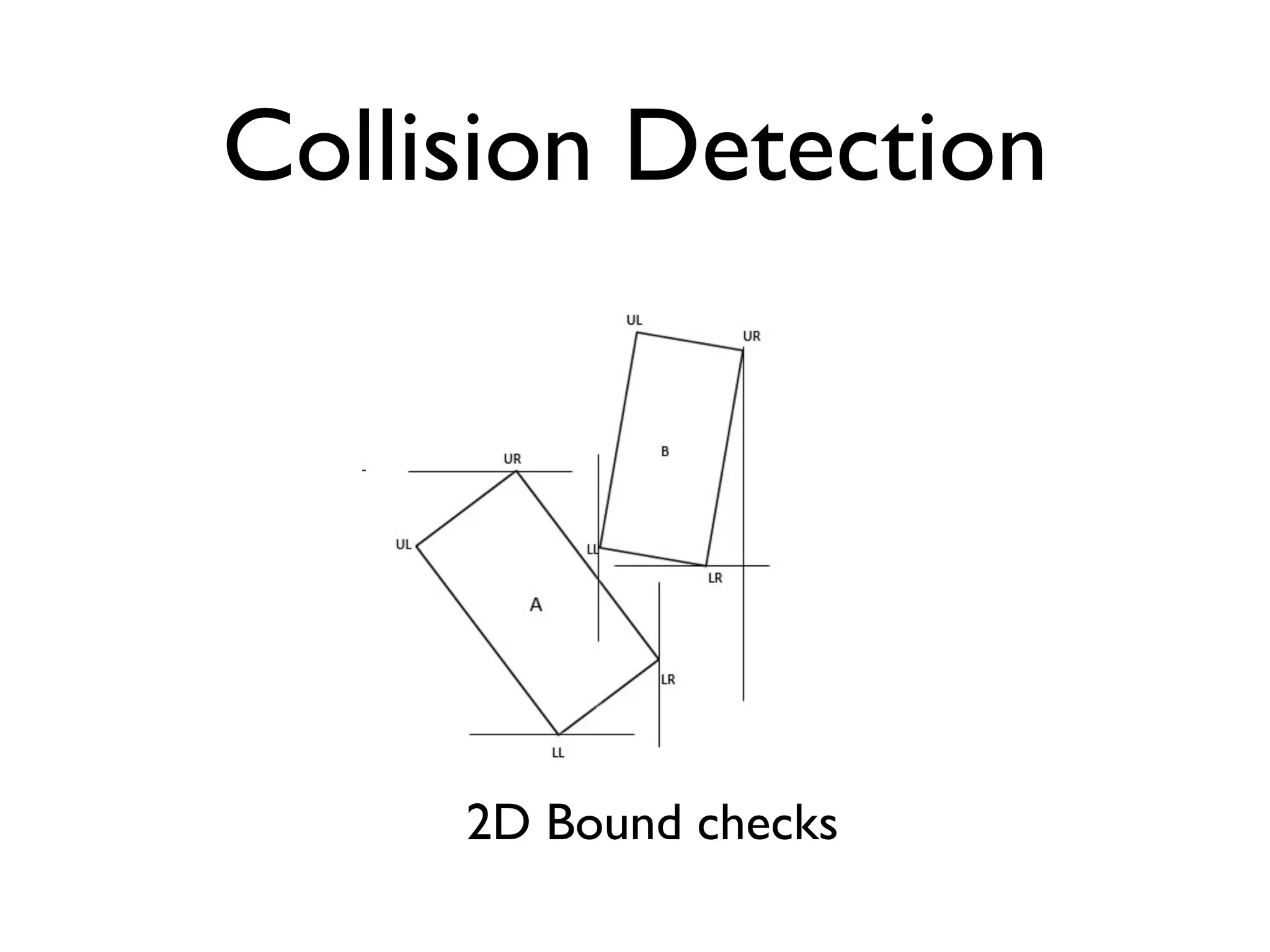
Collision Detection
Collision Detection


     2D Bound checks
Collision Detection


                        Pixel Perfect
http://wiki.allegro.cc/index.php?title=Pixel_Perfect_Collision
Ah! So many things to do?
  Enter Frameworks /
   Engines/ Libraries
    & other angels
Programming
• Lot of repetitive tasks
• Lot of things you don’t wish to figure out
• Technologies - OpenGL, DirectX, SDL
• Interfacing Libraries
• Generic set of solutions - frameworks
• Complete solutions - Game Engines,
  toolsets
Programming
• Many options to choose from -
• DirectQB (old MSDOS days)
• Allegro (C/C++, cross platform)
• PyGame (Python, SDL)
• PyGlet (Python, OpenGL)
• XNA (Windows, XBox, dotNET, C#,VB)
• DirectX (Windows specific,VC++, C# ...)
Programming
• Many options to choose from -
• DirectQB (old MSDOS days)
• Allegro (C/C++, cross platform)
• PyGame (Python, SDL)
• PyGlet (Python, OpenGL)
• XNA (Windows, XBox, dotNET, C#,VB)
• DirectX (Windows specific,VC++, C# ...)
A Basic Game Loop
Start       While player is alive

           take input

           find collisions

           draw on buffer

           put everything on screen
A Basic Game Loop
Start       While player is alive

           take input

           find collisions

           draw on buffer

           put everything on screen
A Basic Game Loop
Start       While player is alive

           take input

           find collisions

           draw on buffer

           put everything on screen
A Basic Game Loop
Start       While player is alive

           take input

           find collisions

           draw on buffer

           put everything on screen
A Basic Game Loop
Start       While player is alive

           take input

           find collisions

           draw on buffer

           put everything on screen
A Basic Game Loop
Start       While player is alive

           take input

           find collisions

           draw on buffer

           put everything on screen
A Basic Game Loop
Start       While player is alive

           take input

           find collisions

           draw on buffer

           put everything on screen
What now?
• An entertaining idea
• A Programming Language
• A Game programming framework
• Some bells, whistles & decorations
Python
• Dynamic, Interpreted, Interactive
• Object Oriented
• Easy to write, easy to read
• Popular - education, prototyping, quick
  hacks, research, unlimited
• Batteries included
• From web to standalones
Python
• Free
• On many platforms (Unix, Linux, Windows,
  OS X, Symbian S60, Java, BeOS)
• Lacks type declaration
• Huge library of modules
Python
• printf (“Hi %s”, name);
  print “Hi %s” % name
• int x = 45;   float y = 1.01
  x = 45        y = 1.01
• int a[4] = {1,2,3,4}
  a = [1,2,3,4]
  a = [1,2,‘abhishek’, 4, 4.5]
Python
Indentation

if (name == ‘abc’):
    print “Yes”
else:
    print “No”
Python
Strings

fruit = “Apple”
fruit = ‘Apple’
fruit = “““ Apple and ‘apple” ”””
fruit = ‘‘‘ foo bar ’’’
message = “Hello %s. Total is %d” % (name, total)
Python
Lists

l = [1,2,3, ‘foo’, 4.5]
print l[3]
foo
l = [ [1,2,3], ‘a’, ‘b’, ‘c’ ]
innerlist = l[0]
print innerlist
[1,2,3]
Python
Dictionaries

Associative key => value pairs
d = { ‘name’ : ‘Ram’, ‘age’:45 }
print d[‘name’]
print d[‘age’]
d[‘salary’] = 45000
Python
Loops

for (int x=0; x<10; x+=2) { // do something }
for x in range(0,10,2):
   # do something
Python
Loops

L = [1,2,4,5,3,1]
for i in L:
   print i
1
2
4
5
3
1
Python
Functions

def factorial( num ):
  if num==1:
      return 1
  else:
      return num * factorial(num-1)

print factorial(4)
24
Python
Comments

# single line comment
“““ multi
            line ”””
Python
Modules

import math
print math.pi
• Based on SDL (Simple Directmedia Layer)
• Works on Windows, OSX, Linux, N900, etc
• Big array of modules, does a lot to save
  time
• http://pygame.org
• $ sudo easy_install pygame
http://www.pygame.org/docs/

http://www.pygame.org/docs/
       ref/examples.html
pygame.Color pygame.transform    pygame.draw
pygame.Rect    pygame.Surface   pygame.mouse

pygame.image   pygame.movie     pygame.display

               pygame.camera     pygame.time
pygame.midi
pygame.event   pygame.mixer      pygame.font

                                       ...
Code / Demo time
To be continued ...

Introduction to Game programming with PyGame Part 1