Indie game storeFree gamesFun gamesHorror games
Game developmentAssetsComics
SalesBundles
Jobs
TagsGame Engines

Millie Squilly

512
Posts
19
Topics
135
Followers
64
Following
A member registered Jun 13, 2015 · View creator page →

Creator of

Recent community posts

If you have a widget on the same card you can just access it by name

So like if you have a field called field1 you can just use field1.text or whatever you need.

If a widget is on a different card (e.g. card1) you can access it like card1.widgets.field1.text for example.

You may want to check the Decker reference manual in the "Interfaces" section where it lists all the different properties of each widget type.

Hope this answers your question :)

I realise it's not exactly a solution, but have you tried recording sound separately (in like Audacity for example) and then importing into Decker? I've found even when the audio editor is working I get better results this way since I can adjust the levels and such in Audacity before converting down into Decker's format

Sorry, took me a while to get to this but I think the loading times aren't too bad, as IJ said it's not much compared to other in-browser game engines.

The full-colour dithered art style does tend result in decks being on the bigger size in my experience. It sounds like you're on the right track in terms of keeping the size down though - basically, avoiding duplicating the same backgrounds is what should help the best. So using canvas widgets to add elements without having to duplicate the rest of the background, or enabling/disabling buttons depending on what interactions you should be able to do and such.

Depending on your video editor it may be easier to just save out the .gif files from wigglypaint. But I think making a copy and paste of the wigglypaint card (edit menu should let you copy card and paste card I think) should work

So when you make a new card in Decker, it's a totally new blank card, without anything on it.

If you're wanting multiple copies of the wigglypaint drawing card, then what you might need to do is make a copy of the blank wigglypaint card and then paste that in, using the copy card / paste card feature.

But if you're just looking at saving your wigglypaint drawings, depending where you're planning on using them, one thing you can do is make a copy of the wiggly canvas widget (i.e. going into widget mode) and then that can be pasted into a new card or a different deck or what have you.

I hope this makes sense? It might help to know what your end goal is with where you're using the drawings.

Yeah, Decker can definitely chug a bit with larger file sizes. I don't think there's a hard limit necessarily, but there's definitely a practical limit. With my own work I'd ended up with an almost 200mb deck that REALLY chugged when you saved it and wouldn't even load properly in a web browser, so I had to downscale some of the assets, and then at around 60mb it would at least load in a browser.

I think the pertinent question would be, what are you doing that the file size is so big? I've noticed the bigger Decker decks tend to be from using a LOT of imported dithered art, and unless you're being silly like me and essentially doing FMV, often what tends to make the filesize balloon out like this is having multiple copies of the same card with slight differences, the problem being that each copy has to be saved in full in the deck. Could it be possible to rework things so that instead of different cards you're showing/hiding different widgets?

Quick answer for your first question: If you've got a .deck with a font saved (e.g. if you save a copy of the font editor), you should be able to drag it onto the deck you want the font in (like literally drag the file into an open Decker window), and then use the Font/DA mover that pops up to move the new font into your deck. The same goes for moving around different colour palettes, sounds, contraptions, or modules, when you get that far.

Looking at your second point, yes I think that should work - it's pretty easy to write code that hides or shows a widget based on a click

Hey, I saw you put out an update that looks like it removed a lot of the material, but also added a bunch of other decks, that I should remind you, you're not crediting the creators of and likely haven't asked permission. That's really not cool.

I think it's fine if you want to archive decks you find for personal use, although keeping them as separate files may be a better idea since that way they won't break and any deck-level code won't conflict. But it's not a good idea to distribute them like this.

(2 edits)

Hey, so it looks like you're basically just bundling up various other decks into one. What raises an eyebrow for me is that the credits don't actually, well, credit any of the people whose decks you've borrowed from. Which seems a bit uncool

It's a bit unclear what the purpose is. Some of these tools don't really make sense accessed through this sort of interface. Like, PublicTransit (which is an out-of-date version here) isn't particularly useful as a tool that you'd access through a menu like this, the point is more to use the transitions in your own work. And Data Pipes is really more of a proof of concept rather than a tool, I'd say. And including the WigglyKit library is, again, odd, since that's more of a component for someone's own decks rather than a tool in its own right. Ditto for the fonts preview, there's not much benefit in just viewing them.

Additionally, it seems that a lot of the tools have broken when they were copied into your deck. Valentine-er doesn't seem to actually generate the card in the end. I'm guessing there were some bits you didn't copy or maybe the card arrangement made things messy? The link to data pipes doesn't even go to the right place, it goes to the spirograph card! Before asking other people to test, it might be a good idea to test yourself.

I'm not really sure what you're trying to achieve here. You're basically bundling together broken and outdated tools in a context that doesn't really make sense. I feel like it would make more sense, if you want access to various decker resources, to link to the live versions from the original creators rather than haphazardly bundling a bunch of cards together in a broken fashion.

Edit: I feel I should also point out that a couple of the art pieces included in the valentine-er app are ones I made, and like I gave IJ permission to use them in valentine-er but I don't seem to recall being asked by you if you could include them here so that's really not cool tbh.

Hehe well I'm glad that part was helpful at least ;)

Frog! :3

hell yeah this feels SO much like myst, it owns!

Oh wow :o I've really liked using ordered dither brushes and this adds SO much more flexibility, I will have to see what I can do with them!!! This is so cool!!!

eggbug forever!

(1 edit)

I've been working on a launcher for this written in Decker. Thanks to some of the newer danger zone decker features I've managed to get something working. It looks something like this, the buttons lead you into a directory listing all the decks in a certain folder where you can launch them from.

I've whacked it up on github if you'd like to poke around. As a note, this is pretty specific to my setup and will require a custom danger build of native decker to work, so getting it going for your own purposes may take some effort but hopefully it can inspire some other works. https://github.com/micpp42/deck-kiosk-launcher/

There's a few things I can probably still do with it, like listing the names of decks a bit friendlier or patching in a nicer quit function (for now I've just got my desktop environment set up to auto-relaunch decker after you alt-f4 it) or some solution to hardcoding in the folder names to make it easier to add stuff but for an initial version I'm pretty happy with this.

Edit: there's a quick video of it in action on social media: https://bsky.app/profile/milliesquilly.com/post/3maxln5s5nk2i

This is great and feels relatable in terms of "why I never really went out"

here is the blog post in question https://milliesquilly.com/deck-kiosk-mostly-done-at-least-hardware-wise/

It's real! 

I'll do a blog post in more detail at some point

Oh dang that's some feelings <3 this is really good!

Very educational!

Yeah a lot of people seem to have found it relatable haha, I hope it wasn't triggering

If you want to get ambitious, you could even remap the directional buttons to trigger the arrows on screen - may not quite be useful for the environments in this game since there's a few points where there's several of the same direction, but something to keep in mind for future works!

Thanks for reading! Had you played the previous thing I made with these characters? I'm wondering how well it holds up without that history haha

Hey, this is a jam for stuff made in Decker which I don't think this is

First a technical note on navigating the world. Right now you've got the navigation arrow keys unlocked, so I can flip through cards in order without doing things properly, so you may want to fix that. If you put this in your deck-wide script it'll make it disable navigation when the deck is locked

on navigate x do
 if !deck.locked send navigate[x] end
end
On a semirelated note, I saw that the menu section of the screen is often left blank with the art, so you may be interested to know that if you press "m" to see it and draw there when you're in a drawing mode.

I found moving around with the arrow buttons pretty obvious, but it took me a while to find the hotspot that got me to the first puzzle through the bars. Like I was going through several times trying to find where my cursor changed but not seeing it. Not sure if that's part of the challenge or you want to make it more obvious.

I think these kinds of puzzles may not quite click with my brain haha, like I was hitting all the hints and even then I was finding myself trial and erroring through a bit. I'm hoping others can give some feedback here because I think this kind of puzzle may not quite be what works in my brain, but since I did eventually get through with the hints that might mean it's balanced OK.

I have to agree with Screwtapello that the number on the wall thing was a bit odd, maybe there's another way to word that or hint at that where you don't go "but wait why can't I look"?

The shape fitting puzzle did go well with my brain once I realised "oh the filled in squares are free squares, not holes". I wonder if there's a way of doing this where you can drag and rotate the pieces instead of just clicking squares to change colour, might need some more advanced coding but the rect module in the draggable example deck could help here.

I am definitely excited to see the ending because ooh that cliffhanger

Hell yeah! I had been thinking for a while that someone should give something like this a try and you did it!

Delightful!

Oh heck yeah these are great!

ahh wow thank you!

I mean I wouldn't say "properly" it's just different! There's definitely cases where one would rather not have dithering after all!

I would say it's absolutely possible!

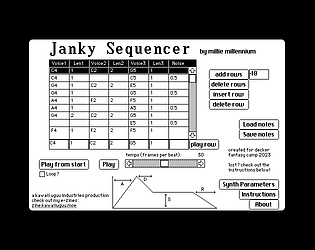
I wrote a synthesis-based sequencer for a jam last year, and as I understand it the main difference with a tracker would be playing back samples (and pitching them up and down as necessary) instead of generating waveforms. So yeah absolutely it could be done if someone has the wherewithal!

Oh if it helps, on a previous experiment I'd used just one-bit visuals and a smaller window, which helps keep the filesize down, it's also got doco on how to do it and it's here: https://zine.milliesquilly.com/videotest2.html

I'd say "yessssss do it" but in terms of practicality my advice would be see if you can keep it small, unless you want your file sizes to go wild haha!

Oh cool! If you haven't seen it, the "All About Color" deck that comes with Decker has some stuff about importing images that could help you have different effects e.g. using different palettes or using an external tool to dither it!

Ooh, I love a good puzzle thing! I'll be looking forward to checking it out!

What did you use for the background art? It looks like it's done in something external and imported into Decker?

And I ended up doing a second project as well haha, this one is less technologically interesting but probably more artistic https://micpp.itch.io/a-nice-anime-date

Ahh thanks!

As a southern hemisphere resident I agree it definitely doesn't have to snow on Christmas ;)

(as a heads up the credits textbox and the "oh you don't get snow" textbox seem to have been left unlocked, which stops the links at the end working)

This is heavy and great!!!

Oh wow, this is... intense! Looks amazing! Nice work!