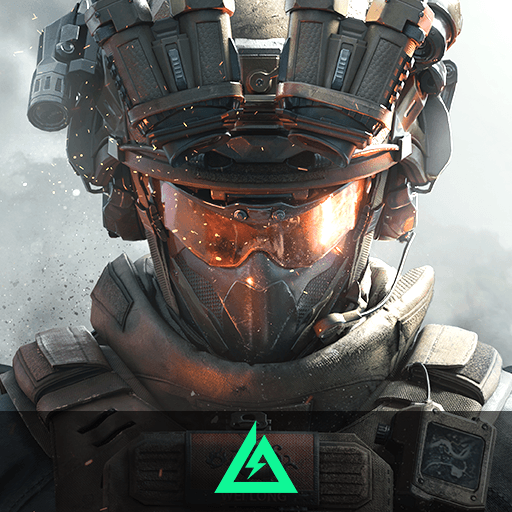
Mech Arena - Shooting Game

Mech Arena - Shooting Game

Action

| Plarium Global Ltd

BlueStacks Verified

Play on PC with BlueStacks or from our cloud

  • Overview
  • Tips & Tricks
  • Game Features
  • How to Play

Page Modified On: June 15, 2026

Play Mech Arena - Shooting Game on PC or Mac

Mech Arena – Shooting Game is an Action game developed by Plarium Global Ltd. BlueStacks app player is the best platform to play this Android game on your PC or Mac for an immersive gaming experience.

About the Game

Mech Arena – Shooting Game throws you into intense PvP battles with players around the world. It allows you to build a formidable mech squad by choosing from several mechs & extensive weapons. You can even build a special hangar to keep your robots and prepare them for battle. When fighting, use your gamepad controller or keyboard to move your robot around and strike enemies. 

Game Features

  • Endless Mech Builds: Build your mechs to your desired taste and upgrade the appearance with more than 1000+ skins to gun down enemies in style.
  • Diverse PvP Modes: The game offers multiple PvP modes that require distinct tactics and skills. Examples include Control Point Clash, Team Deathmatch, and you can even set up custom PvP games for your friends.
  • Free Fire Zone: Mech Arena ensures a free fire zone across all 35+ arenas. This way, you can explore new tactics and test different guns at your own pace.
  • Tournaments & Events: Showcase your skills on the big stages by participating in themed events and competing in weekly PvP tournaments to climb the leaderboards and claim exclusive rewards.

How to Play? 

Download Mech Arena – Shooting Game for free from the Google Play Store using the BlueStacks app player.

Game Features

Game controls

  • Aim and Shoot
  • Movement

Enhancements

  • Shooting Mode
  • High FPS
  • Script
  • Free Look
  • Game controls
  • Enhancements
Aim and Shoot
Movement
Shooting Mode

Shooting Mode

Boom, headshot. With BlueStacks Shooting Mode, experience PC-like gameplay when playing Mech Arena - Shooting Game. Press F1 to aim and shoot with mouse.
High FPS

High FPS

Enable the highest possible frame rate in Mech Arena - Shooting Game for a seamless gaming experience. Get smoother graphics and better reaction time.
Script

Script

Play Mech Arena - Shooting Game with the innovative Script feature. Create and run a script to fully automize a sequence of actions. Assign it a key to execute in one go.
Free Look

Free Look

Turn and shoot in milliseconds. With Freelook, BlueStacks has always got your back. Rule Mech Arena - Shooting Game and get more kills.
Read More

How to Download and Play Mech Arena - Shooting Game on PC or Mac

  • Download and install BlueStacks on your PC or Mac

  • Complete Google sign-in to access the Play Store, or do it later

  • Look for Mech Arena - Shooting Game in the search bar at the top right corner

  • Click to install Mech Arena - Shooting Game from the search results

  • Complete Google sign-in (if you skipped step 2) to install Mech Arena - Shooting Game

  • Click the Mech Arena - Shooting Game icon on the home screen to start playing

video
Watch Video

Minimum System Requirements

With BlueStacks 5, you can get started on a PC that fulfills the following requirements.

  • Operating System

    Microsoft Windows 7 or above, macOS 11 (Big Sur) or above

  • Processor

    Intel, AMD or Apple Silicon Processor

  • RAM

    at least 4GB

  • HDD

    10GB Free Disk Space

Note:

* You must be an Administrator on your PC. Up to date graphics drivers from Microsoft or the chipset vendor.

Mech Arena - Shooting Game - FAQs

  • How to play Mech Arena - Shooting Game on Windows PC & Mac?

    Play Mech Arena - Shooting Game on your PC or Mac by following these simple steps.

    • Click on 'Play Mech Arena - Shooting Game on PC’ to download BlueStacks
    • Install it and log-in to Google Play Store
    • Launch and play the game.
  • Why is BlueStacks the fastest and safest platform to play games on PC?

    BlueStacks respects your privacy and is always safe and secure to use. It does not carry any malware, spyware, or any sort of additional software that could harm your PC.

    It is engineered to optimize speed and performance for a seamless gaming experience.

  • What are Mech Arena - Shooting Game PC requirements?

    Minimum requirement to run Mech Arena - Shooting Game on your PC

    • OS: Microsoft Windows 7 or above MacOS 11 (Big Sur) or above
    • Processor: Intel, AMD or Apple Silicon Processor
    • RAM: Your PC must have at least 4GB of RAM. (Note that having 4GB or more disk space is not a substitute for RAM)
    • HDD: 10GB Free Disk Space.
    • You must be an Administrator on your PC.